Tutorials / FAQ
View articles on the set-up and proper use of MaxBotix Inc. Sensors
Most questions will be answered in the product datasheets
Click link for downloads page...Downloads
An Easy to Follow Guide
This guide is serves as an easy to use set-up guide for the LV‑MaxSonar‑EZ Ultrasonic Sensor. This sensor uses sound to measure the distance to nearby objects, and then reports the information through one of the three sensor outputs.
MaxBotix Inc., is excited to provide this guide which is designed to assist you in using your MaxSonar sensor for the first time!
Legacy FAQ Index for the LV-MaxSonar Products
1) What motivated MaxBotix® Inc., to design, build, and market the MaxSonar®-EZ1™? Link
2) How does the signal system in the MaxSonar®-EZ1™ work? Link
3) If the MaxSonar®-EZ1™ is designed to not allow unstable readings, why do unstable readings occur in my particular setup, and what can I do about them? Link
4) What are the differences between the Original MaxSonar®-EZ1™ and the LV-MaxSonar®-EZ1™? Link
5) How can I quickly verify the operation of the MaxSonar®-EZ1™? Link
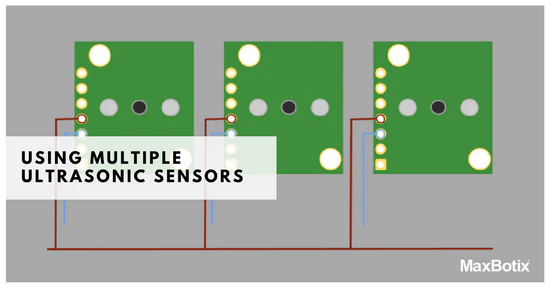
6) How can I use more than one MaxSonar®-EZ1™ in the same system? Link
7) What is the beam width of the MaxSonar®-EZ1™ in degrees? Link
8) How can I get the best possible accuracy from the analog output? Link
9) Tell me how serial, pulse width, and analog voltage outputs compare. Link
10) Tell me more about the repeatability and accuracy of the MaxSonar®-EZ1™. Link
11) How far away does the MaxSonar®-EZ1™ detect people? Link
12) How can I use the MaxSonar®-EZ1™ sensor outside? Link
13) Code example for BasicX, BX24p. Link
14) Code example for the Basic Micro, Atom. Link
15) Code example using Wright Hobbies, DevBoard-M32 (AVR using Bascom). Link
16) Code example using Parallax, Basic Stamp BS2. Link
17) Can I copy and use the MaxSonar ®-EZ circuit on the data sheet? Link
18) What can the weather resistant LV-MaxSonar®-WR1™ (IP67) outdoor sensor be used for? Link
19) What are the exposed materials of the LV-MaxSonar®-WR1™ and what use is it rated for? Link
20) Are any of MaxBotix® Inc., products rated for use in human safety applications? Link
UAV and Mobile Robotic Users
Simple fix for when electrical noise interferes with the MaxSonar sensors. Link
Legacy FAQ for the LV-MaxSonar Products
1) What motivated Maxbotix® Inc., to design, build, and market the MaxSonar®-EZ1™? Have you ever said, “Wouldn’t it be nice to have a sensor that provided data I could trust”? The primary goal during the building of the MaxSonar®-EZ1™ was to make a high performance ultrasonic range finder that provided readings, so stable, that unless the object moved, the readings didn’t vary. This was the first and primary goal during the building of the MaxSonar®-EZ1™. MaxBotix® Inc., believes that it has virtually reached that goal. Objects between 6” and 254” are ranged, and objects closer than 6” report 6”. Below is an actual plot to a swinging ball showing the stability of readings provided by the MaxSonar®-EZ1™. ![]() Figure 1.1 is taken with a MaxSonar®-EZ1™ sensor, where the sensor measures the distance to a swinging ball. Every reading is correct and the only place where the data is uneven is the place where the ball is picked up (about reading 850) and started the test over again. The MaxSonar®-EZ1™ is a sensor that provides data that you can trust. Building a sensor that provides data you can trust involved solving many issues. These are listed below. Range Stability was required MaxBotix® Inc., wanted to provide a sensor that was better than the others. Range stability was the primary goal. All other goals were either required to meet this primary goal, or were secondary goals. The data in Figure 1.2 was taken from our report titled, Pendulum_Test_Results.pdf, located on our Performance Data web page here testing showed how well the MaxSonar®-EZ1™ and the LV-MaxSonar®-EZ1™ meet this goal. “Better than other” sensors is subjective, but real world testing is not, so we are showing data from other sensors to tell the difference that an end user might see. Figure 1.2. Continuously Variable Gain was required The sensor gain needed to yield a beam width such that clutter outside of the central measurement area would be ignored, otherwise clutter outside the desired area could interfere with the actual distance readings. If the gain was increased too fast, then clutter outside of the central area could become a problem, causing false distance readings. If the gain was increased too slowly, then small objects would be missed. Also, the gain had to be increased correctly so even small objects would remain detected for the distances desired. In addition, unless the gain was increased smoothly, the transducer side lobes could interfere with the stable measurement goal. Yet if the gain increased by large steps, then very irregular, or oddly shaped beam patterns could be the result. And the gain needed to start very low, to provide detection of objects within the so called dead band, yet it also needed to ramp up to whatever gain was needed. The MaxSonar®-EZ1™ smoothly increases the gain yielding no dead band, excellent clutter rejection, small object detection, and the desired narrow beam. Quality Beam Shape was required Thanks to the continuously variable gain, the beam shape can be programmed into the MaxSonar®-EZ1™ sensor line. The beam pattern is a function of the amplifier gain, applied to the transducer gain (beam patterns). Beam patterns can be easily measured using standard targets, typically cylinders of a specific diameter. MaxBotix® Inc., chose three different cylinder diameters. The ¼’ dowel was chosen because many electrical cords are that diameter and if the MaxSonar-EZ1 is to be used on a robot then this type of clutter must be detected. The 1” pole was chosen to simulate a table leg or similar shape, (but it also provides about the same return strength that a person returns). And the 3.5” diameter pole was chosen to provide an example of larger targets. Wave Form Analysis was required The actual waveform returning from the echo needed to be analyzed. This greatly enhanced the ability of the MaxSonar®-EZ1™ to reject non-probable targets and noise while still allowing the reliable detection of the actual desired targets. Calibration and Test was required Verifying the actual performance of each MaxSonar®-EZ1™ before it is bagged and shipped has always been applied to each product. At first, only a hand was moved slowly away from the sensor face. Distances of 0”, 6”, and 12” to the hand were verified, and 48” to the ceiling was verified, with a reading pulled out every second (only one in twenty readings) so it was easy to read. Now every MaxSonar®-EZ1™ sensor must pass the swinging ball test where every reading is evaluated. Doing both of these tests confirms both the stability of the MaxSonar®-EZ1™ and the full path, covering the sent “ping” to the returning echo, through the amplifier chain. Performance is 100% tested and guaranteed. Ease of Use was desired This goal was very high up on the list. Too many sensors are sitting is a box because they were too hard to use. For ease of use we provide three range outputs, all functioning at the same time. The analog voltage output can be easily verified with just a multimeter, or can be easily matched to an AD converter. The pulse width output is very similar to many other low cost sensors. The serial output is also available. In addition, the MaxSonar®-EZ1™ can free run (the RX pin is high or open) or be commanded to take range readings (bring RX pin high when a range reading is desired). Very Small Size (and weight) was desired The MaxSonar®-EZ1™ PCB remains the smallest PCB for an ultrasonic range finder, even smaller than the “worlds smallest”, and we provide mounting holes. We are smaller than other single sensor designs and believe the size is currently the smallest, practical, easy-to-use size. The weight is also very low at just 4.3 grams. Low Cost was desired Using low cost components to build this sensor was desired, because this would provide the sensor to the widest audience possible. Low cost components were selected for use. Circuit designers know that this can be challenging, but it is possible. Low Power Draw was desired If it was possible to accomplish the above, then while doing so power consumption should be kept to a minimum. The low cost components were also selected because of the low power draw they required. In addition, the circuit design was set up to have the lowest power draw possible, yet still provide the needed stability. Wide Operating Voltage was desired The original MaxSonar®-EZ1™ operates with 4.5V to 5.5V, and LV-MaxSonar®-EZ1™ extends the operating voltage range down to 2.5V allowing use in 3.3V systems (or 5V systems) and battery powered sensors. Back to top of page 2) How does the signal system in the MaxSonar®-EZ1™ work? The signal from the transducer is amplified by a bandpass-filter/amplifier, followed by another bandpass filter/log-amplifier, followed by an integrator with gain, followed by an analog to digital converter integrated in a microcontroller. For the LV-MaxSonar®-EZ1™ we increased the gain in the log section of the chain and decreased it in all other areas, as compared to the original MaxSonar®-EZ1™. Back to top of page 3) If the sensor is improved to not allow unstable readings, why do unstable readings occur in my particular setup, and what can I do about them? First, you must begin with a sensor that does not have unstable readings to begin with. If your sensor has unstable random readings, then sorting out the cause of additional outside effects, and can be daunting. Electrical Noise When electrical noise is introduced on the line, it can cause the MaxSonar sensors to output unstable readings. Known items that cause excessive power supply noise are Sharp infrared range sensors, XBee radios, some wireless control systems, some switching power supplies, some servos, etc. There is a simple solution that eliminates the effects of a dirty power supply to the sensor. Please click this link to view the solution. Multiple Sensors The first and most obvious cause of unstable readings is interference when running multiple sensors. These can in general be easily determined and corrected. When running more than one sensor they should be pointed in different directions or they should be ran at different times. Physical Wave Effects The sensors cannot overcome the effects of physics. Lets take two examples. Multi-Sensor Interference For the first example your setup is firing two sensors at the same time, and both sensors are pointed in the same direction. Let’s say that the sensors are spaced 4 inches apart. For this example, it is possible to get a return that is a much larger signal return, when the echoes come back in phase than would normally be expected. It would also be possible to get a much smaller signal return, when the echoes come back out of phase, effectively canceling each other and not allowing the object to be detected. Single Sensor Multi-Return Paths Lets say you have one sensor mounted 12 inches off the floor. You move the robot back away from the wall until no return is detected. This “maximum range” occurred at 3 meters and not at the 6 meters you expected. But if you pull the robot back another 0.5 meters to 3.5 meters the signal reappears and the sensor detects the wall past 6 meters. What happened is that there were two signal return paths back to the sensor. The direct path (expected) and the indirect path (the unexpected one that included the floor refection). At this distance and with this setup, phase cancellation can occur at the sensor. So the sensor does not have a signal to detect, not because the sensor is detective, but because of multi path signal cancellation from phase effects. The effects are well defined in wave theory, but can be very subtle in real world examples. Back to top of page 4) What are the differences between the Original MaxSonar®-EZ1™ and the LV-MaxSonar®-EZ1™? The original MaxSonar®-EZ1™ and the LV-MaxSonar®-EZ1™ perform the same or very similar in most areas. Below is a Table 4.1 that the covers the differences. ![]() Table 4.1. 5) How can I quickly verify the operation of the MaxSonar®-EZ1™? First, you will need to supply 5V to the sensor. Then verify at least one of the outputs. When using a microcontroller, it takes only one pin to monitor any of the outputs, and if using only one sensor this is all that is needed. For example, Figure 5.1 is a simple schematic of the connections required to use one sensor with an analog to digital converter. ![]() Figure 5.1. 5a) AN Output -This output is very easy to use. If you have a voltmeter, just measure between the AN output and GND. You will measure 10mV per inch. 5b) TX Output - Use the TX output, if you have a PC and would like to verify the TX output. If your serial connection is a DB9, TX on the MaxSonar®-EZ1™ is connected to the DB9-Pin 2, and GND on the MaxSonar®-EZ1™ is connected to the DB9-Pin 5 as shown in figure 5.2. You can then use Hyperterminal on most Windows PCs. ![]() Figure 5.2. Alternatively, Richard Grier, author of "Visual Basic Programmer's Guide to Serial Communications" wrote this easy to use demonstration program for the MaxSonar®-EZ1™. Just download, install, and run the program. The Port defaults to COM 1, so if you are not using COM 1, select Port and set to your com port. Then select Run, and then click onRunning. The graph above shows my hand moving in front of the MaxSonar®-EZ1™, followed by the height to the ceiling. (You can see Richard's writeup at http://www.hardandsoftware.net/. Just follow the links, PC Data Acquisition, and then, Sonar.) 5c) PW output - The pulse width output is not as easy to use as the AN or the TX, but can be viewed with an oscilloscope, or can be timed with a microcontroller. The pulse width output is included for software compatibility with low-end sensors where the user’s microcontroller must time the sensor output. These sensors include the Ping sensor from Parallax or the SRF04 sensor from Daventech (trademarks and tradenames are from respective companies). Back to top of page 6) How can I use more than one MaxSonar®-EZ1™ in the same system? When using just one sensor you can just let it range continuously in free run mode. This is very easy and works very well. 6a) Free run all Sensors(not recommended) Continuous free run operation will generally not work when using more than one sensor in the same system. Let's discuss what happens. If you leave the RX pins unconnected on both devices so that they range continuously, at start-up they will range at exactly the same time, however they aren't synchronized and will range with slightly different intervals. Slowly but surely the devices will stop ranging at the same time. These frequency drifts will likely cause interference between sensors for most applications. If looking at the analog voltage output from the MaxSonar®-EZ1™, this will appear as voltage noise that occurs at some regularly occurring rate. Additionally, the digital outputs will have phantom readings at some regularly occurring rate. This is because the sensor "noise" is actually interference from other sensors, not actual noise. The sensors are just behaving the way they were designed to behave. This describes the general results that you would be getting (as verified by a voltmeter), “the signal voltage will hold constant for a given distance and proceed to drop some and slowly walk back up to the stable voltage or vice versa (Figures 6.1 & 6.2). This issue becomes more apparent at longer distances, to the point that the sensor readings are very rarely reliable.” Figure 6.3 shows a single sensor free running and detecting an object at 96 inches. Note the stable readings when no other sensor is free running in the same area as the sensor.
Figure 6.4. 6f) How can I chain multiple MaxSonar® sensors together? To chain the sensors, and have them operate in sequential daisy-chained fashion, you do so by linking the TX of unit 1 to RX of unit 2 and so on. The BW pin is tied high on all of the parts. Then just strobe the first sensor's RX pin and all of the sensors will read the range in sequence. The analog values can then be read. The example in Figure 6.5 would use one pin to command the chain, and three analog to digital inputs. Please click the link to the download the PDF file.Commanded Loop PDF File If you want them to keep running and constantly loop and always provide the latest range reading you will have to do two things.
First, add a resistor between the last sensor's TX back to the Rx of the first unit through a 1K resistor as shown in Figure 6.6. Second, you will have to "kick start" them, (at least 250mS or more after power is applied to the sensors to give the sensors this time to boot-up). To do this, pull the RX pin high on the first sensor for at least 20uS. Then controller will have to return it's pin to a high impedance state so that the next time around the TX output from the last sensor will make it's way to the RX of the first sensor. Then all of the sensors in the chain will run in sequence. This "ring of sensors" will cycle around and around, constantly maintaining the validity of their analog values. You can then read the latest range reading (i.e. the analog value) at any time. This is the easiest way to use them. After pulling the RX pin low, you can read the analog pin about 50mS (100mS if this is the first time reading the sensor as it calibrates upon the first commanded range cycle after power up, i.e. the sensor must complete a range cycle). In addition, the most recent range reading is always ready to be read on the analog voltage pin, so once you start the chain, and if you are using it in continuous mode, you can read the values at any time. Please click the link to download the PDF file. Constantly Looping PDF File
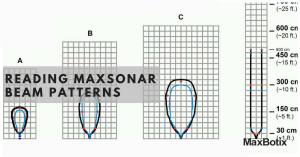
Simultaneous Operation You can also run them all at the same time (and for some uses this is preferred as the measurement speed is maximum, but it is only for selected applications). Just tie all of the RX pins together and command them with a pin from your microcontroller as shown in figure 6.7. Hold the pin high for more than 20uS. Do not continuously leave this pin high, as then all of the sensors will free run as described above. Command the sensors every 50mS or whenever a new range reading is desired. Please click the link to download the PDF file. Simultaneous Operation PDF File Many users have asked for the beam width of the the MaxSonar®-EZ1™. For any ultrasonic range finder, the beam width is a function of the sensor used and the system gain following the sensor. System gain for the MaxSonar®-EZ1™ gain is actively and continuously adjusted by the MaxSonar®-EZ1™ system software to yield a long comparatively narrow beam.
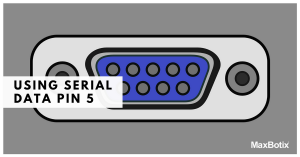
![]() Figure 7.1. Back to top of page 8) How can I get the best possible accuracy from the analog voltage output? First, many users have reported that this is the interface of choice for them. In addition, from these users we have heard that the analog voltage output agrees with the other outputs. This is true for most users because the MaxSonar®-EZ1™ sets this voltage to within 5 mV, twice the accuracy required. But if in your application the MaxSonar®-EZ1™ analog voltage output has noise, there is an easy way to remove the noise on the analog voltage output. Place a 0.1uF capacitor near/at your analog to digital pin directly to your ground. Next place a 10K ohm resistor in series with the analog voltage output from the MaxSonar®-EZ1™ to the 0.1uF capacitor. The time constant for this circuit will be 1mS. This will cause a 5mS delay to allow the voltage to settle. For slower readings and slightly less noise the resistor can be increased to 100K ohms and this will cause a 50mS delay. (If you are technical please read the sections following this answer for the reasons why this might be needed.) Back to top of page 9) Tell me how the serial, pulse width, and analog voltage outputs compare. The serial digital output and the pulse width outputs are taken directly from the time of flight measurement. They will have no additional noise present on them and will be the most accurate. Concerning the analog output, most users have reported that the analog output agrees exactly with the other two outputs, and have not had problems with noise on the analog output. This being said, it is possible for the analog output to have additional noise coupled onto the output, especially for long signal runs. Let’s describe how the analog output section of the circuit works. The analog voltage is set by the microcontroller on the MaxSonar®-EZ1™ to within 5 mV as measured by the analog to digital converter integrated in the microcontroller. The voltage is held in a 1uF capacitor and very little drift occurs between measurements. (In addition, if the range measurements are stopped, the microcontroller maintains the last analog voltage at the correct level.) Next, the voltage is buffered by an opamp. The opamp is a very low cost amplifier and does have some inherent offset and non-linearity. This offset and non-linearity is repeatable, but it will introduce some error in the readings, but will not cause the non-repeatability mentioned above. So the analog voltage is ready to be read by an outside circuit. Figure 9.1 below is a plot of the analog voltage for a few range measurements captured on a digital oscilloscope. The voltage on the output was multiplied by 100 (i.e. divided by 0.01 volts per inch) to yield inches. ![]() Back to our question, if the outside circuit is a handheld multimeter, the voltage will, in general, appear very stable because most meters of this type integrate the voltage for 0.1 seconds and virtually all noise will be eliminated. So a multimeter will function very well to display the analog voltage and the corresponding range, except for rapidly changing ranges. If the voltage is read by an analog to digital converter then the readings may appear to jump around, but the reason is not because the correct voltage is not present at the output of the MaxSonar®-EZ1™. Instead the problem is that noise is added to the readings. If the voltage is read deferentially at the connection pins to the MaxSonar®-EZ1™, then the reading will also be fairly stable. The filter mentioned above in answer for question 5 would not help if placed on the MaxSonar®-EZ1™. The filter needs to be placed near the analog to digital converter that is doing the measurement. Back to top of page 10) Tell me more about the repeatability and accuracy of the MaxSonar®-EZ1™. As an object is moved away or towards the sensor, in general, the MaxSonar®-EZ1™ will only switch between two values, and this occurs as it is going though the transition from one inch to the next. Making a sensor as small as the MaxSonar®-EZ1™ involves some compromises. Instead of a crystal oscillator, the PIC microcontroller internal RC oscillator is used. Although the PIC clock is accurate, we have found that it is better to calibrate the microcontroller clock at the Maxbotix® factory to within 1%. Even after calibration, the internal RC clock may drift from this calibration value by another 1%. Other factors affect accuracy, like temperature, the size of the object detected, and the texture of the object detected. Back to top of page 11) How far away does the MaxSonar®-EZ1™ detect people? The MaxSonar®-EZ1™ or the LV-MaxSonar-EZ1 will detect a person (an acoustically soft target) to 8 to 10 feet or more. 12) How can I use the MaxSonar®-EZ1™ sensor outside? Although the MaxSonar®-EZ1™ sensor was designed for "protected indoor enviroments" the MaxSonar®-EZ1™ sensor has been used outdoors in very rugged enviroments. The link below sports a very good discussion on the MaxSonar®-EZ1™. http://www.cocoontech.com/index.php?showtopic=4419 It also shows an easy to build housing that keeps the sensor "protected" while in operation, where a plastic PVC housing and some very thin foam is used on the sensor face. Here the sensor is used (in air above the water line) to measure the draft of a ship. This link below shows how the sensor was used to measure salt in a water softener. http://www.cocoontech.com/index.php?showtopic=4666 And this link below shows the High-Lighter where a MaxSonar®-EZ1™ reads a trampoline in operation. The higher the jump the larger the flame burning in the display. http://screwdecaf.cx/high-lighter.html Back to top of page 13) Code Example for the BasicX, BX24p. www.basicx.com ![]() Figure 13.1. 'BX24 'MaxSonar®-EZ1™ Code Example 'By Chris Harriman '01/09/2006 'The program below continues to read the MaxSonar®-EZ1™ 'It uses the AD to read, and debug to output the data. Const RX As Byte = 10 Const AN As Byte = 13 Dim AnalogOutPut As Byte Dim SerialOutPut As Byte Dim PWOutPut As Byte ''********************************************************************************************** Sub Main() Do AnalogOutPut = RangeA ' Get the Range Debug.Print "Analog " & CStr(AnalogOutPut) ' Print the Range Call SLeep(512) Loop End Sub '********************************************************************************************** Function RangeA() As Byte ' Reads the Analog output of the MAXSonar® EZ1™ (AN Pin) and returns the target range as a Byte Dim AValue As Integer Call PutPin (RX, 0) ' Turn off the EZ1™ just in case we started with it on Call PutPin (RX, 1) ' Turn on the EZ1™ Call Sleep(40) ' Wait about 50 ms AValue = GetADC(AN) ' Read the ADC RangeA = Cbyte(AValue \ 2) ' Convert value to Byte and return End Function '********************************************************************************************** Back to top of page 14) Code Example for the Basic Micro Atom. www.basicmicro.com 'BasicAtom Code 'Reads MaxSonar®-EZ1™ 'Bob Gross '01/14/2005 '5V connect to +5V 'GND connect to common 'TX, connect to Atom P7 'RX, connect to Atom P5 'The serial data will be sent when the reading is complete, 'This is very fast when an object is close. 'Only four lines of code required RS232Data var byte 'Set up variable to hold the data High P5 'Hold high to start the reading SerIn P7, n9600, [WAIT("R"), dec RS232Range ] 'wait for "R" and get the data Low P5 'Set low when complete Back to top of page 15) Code example using DevBoard-M32 (AVR using Bascom) www.wrighthobbies.com 'Using the MaxSonar®-EZ1™ with the DevBoard-M32 'By Eddy Wright, Wright Hobbies Robotics, 2006 'http://www.wrighthobbies.net 'We will read both the analog and serial outputs of the MaxSonar® 'The M32 A/D converter has an internal voltage 'Reference of 2.56v which is perfect for output 'of the MaxSonar® - 2.55v 'The analog output (AN)of the MaxSonar® is connected to 'Port A.0, the ADC Channel 0 'The serial output (TX) is connected to to Port D.7 'Each loop, we read the analog and serial values 'This code can be used with any AVR with ADC that is supported by Bascom Dim Dist As Word , Strdist As String * 8 , Serdist As Byte 'Config the softare UART, we need to use the INVERTED option with the MaxSonar® Open "comd.7:9600,8,n,1,INVERTED" For Input As #1 'Configure ADC Config Adc = Single , Prescaler = Auto , Reference = Internal Start Adc Do Dist = Getadc(0) Shift Dist , Right , 2 'The M32 has 10bit ADC, shifting it twice makes it 8bit Input #1 , Strdist Strdist = Right(strdist , 3) 'Strip off the letter R Serdist = Val(strdist) 'Convert to a number Print "Analog Distance = " ; Dist ; " Inches" Print "Serial Distance = " ; Serdist ; " Inches" Loop Back to top of page 16) Code Example using Parallax Basic Stamp BS2 'Reads both the PW and serial outputs ' {$STAMP BS2} ' {$PBASIC 2.5} ' www.danderrick.com/ ' permission for unlimited use granted to all ' First test of the MaxSonar®-EZ1™ ' micro µ ' ------- P PINs ----------------------------- pMaxRecv PIN 15 pMaxClock PIN 14 pMaxPWM PIN 0 ' --------------- X Variables ----------------- xDist VAR Word xPulse VAR Word xX VAR Byte ' ============ Main loop ================ DO GOSUB sPWM GOSUB sSerial DEBUG CR, CR PAUSE 50 LOOP END ' never reached ' ------------- Subs ------------------------ sPWM: 'Max sends 147 µs per inch 'BS2 reads for 2 µs FOR xX = 1 TO 5 HIGH pMaxClock PULSIN pMaxPWM, 1, xPulse LOW pMaxClock DEBUG DEC5 xPulse, " " PAUSE 50 NEXT DEBUG CR RETURN sSerial: FOR xX = 1 TO 5 SERIN pMaxRecv\pMaxClock, 16468, [WAIT ("R"), DEC xDist] DEBUG DEC5 xDist, " " PAUSE 50 NEXT DEBUG CR RETURN ' -------- Physical end of file ------------ Back to top of page 17) Can I copy and use the MaxSonar®-EZ circuit on the data sheet?
MaxBotix® Inc., provides circuit information on our MaxSonar® line in our data sheets so our customers can understand the basic circuitry operation of our sensors. From this, advanced users can understand how the sensor operates, and for some this makes the sensor easier to use. For example, some students have placed this circuit into PSpice, an electrical circuit simulator, and have analyzed our circuit operation. Even so, the circuitry is only part of the MaxBotix® Inc, ultrasonic sensor solution, as the sensor also relies upon internal firmware, and factory calibration. Back to top of page18) What can the weather resistant LV-MaxSonar®-WR1™ (IP67) outdoor sensor be used for?
19) What are the exposed materials of the LV-MaxSonar®-WR1™ and what use is it rated for? (Updated 4/12/2010)
20) Are any of MaxBotix® Inc., products rated for use in human safety applications?
UAV and Mobile Robotic Users (Simple fix for when electrical noise interferes with the MaxSonar sensors.) When electrical noise is introduced on the line, it can cause the MaxSonar sensors to output unstable readings. Known items that cause excessive power supply noise are Sharp infrared range sensors, XBee radios, some wireless control systems, some switching power supplies, some servos, etc. There is a simple solution that eliminates the effects of a dirty power supply to the sensor. By placing a resistor in series with the V+, along with a 100uF capacitor (Digi-Key part number: P803-ND or equivalent) to ground, you create an effective filter (i.e. almost a placebo battery) for the sensor. This ensures that almost any noise introduced onto the line is captured and only clean stable power is supplied to the sensor. For the circuit connections, please see the schematic below: ![]() |


Test this by testing each sensor separately. To do this, place a piece of tape over all the sensors but the sensor that is being tested as seen in Figure 6.4. Verify the correct output via analog (as verified by a voltmeter). Do this to each sensor. If all sensors operate properly, you have interference from other sensors.
Figure 6.5.